C Code CEO

Nathan

Building since Feb 2026·4 projects shipped

I build JavaScript games from real code, using functions, objects, arrays, DOM APIs, Firebase, Git, and AI planning. My projects include Function Fighter, Catch the Dot, Guess That Number, and a 2D Shooter in progress.

Working on now

Improving Guess That Number and manually editing 2D Shooter while using Git to save favourite versions.

My Goal

Publish a game, find first players, and improve the roadmap through feedback.

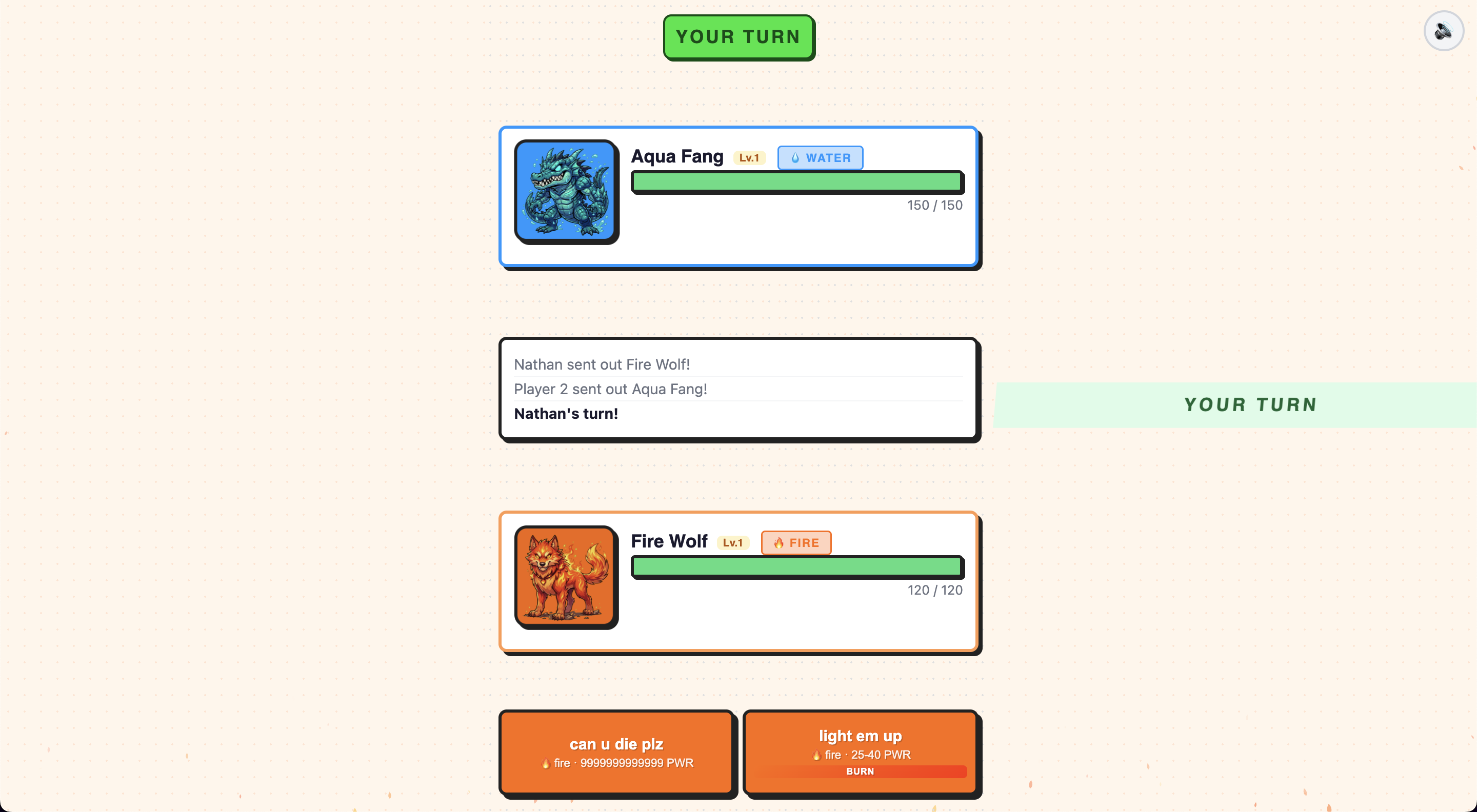
Screenshot of Function Fighter In progress

Function Fighter

Built at age 16

A turn-based combat game using JavaScript functions, objects, and arrays. Features critical damage, burn effects, and move systems.

JavaScriptGame DevFunctionsObjectsArrays
Details

Why I built this

Nathan used Function Fighter to move from isolated JavaScript exercises into a larger game codebase. He planned new combat features, wrote functions, organized moves with objects and arrays, and worked through how a feature connects to the rest of a game.

Bugs and breakthroughs

  • Worked through the challenge of integrating an abstract function into an existing codebase.
  • Combined objects, arrays, and functions to implement burn damage.
  • Practiced reading answer code to understand the structure instead of only copying it.

Proud code

Burn effect planning JavaScript
                                const fireball = {
  name: "Fireball",
  damage: 12,
  effect: "burn"
};

function applyBurn(target) {
  target.health = target.health - 3;
}
                              

This captures the objects-plus-functions pattern Nathan practiced while adding burn damage.
Try it
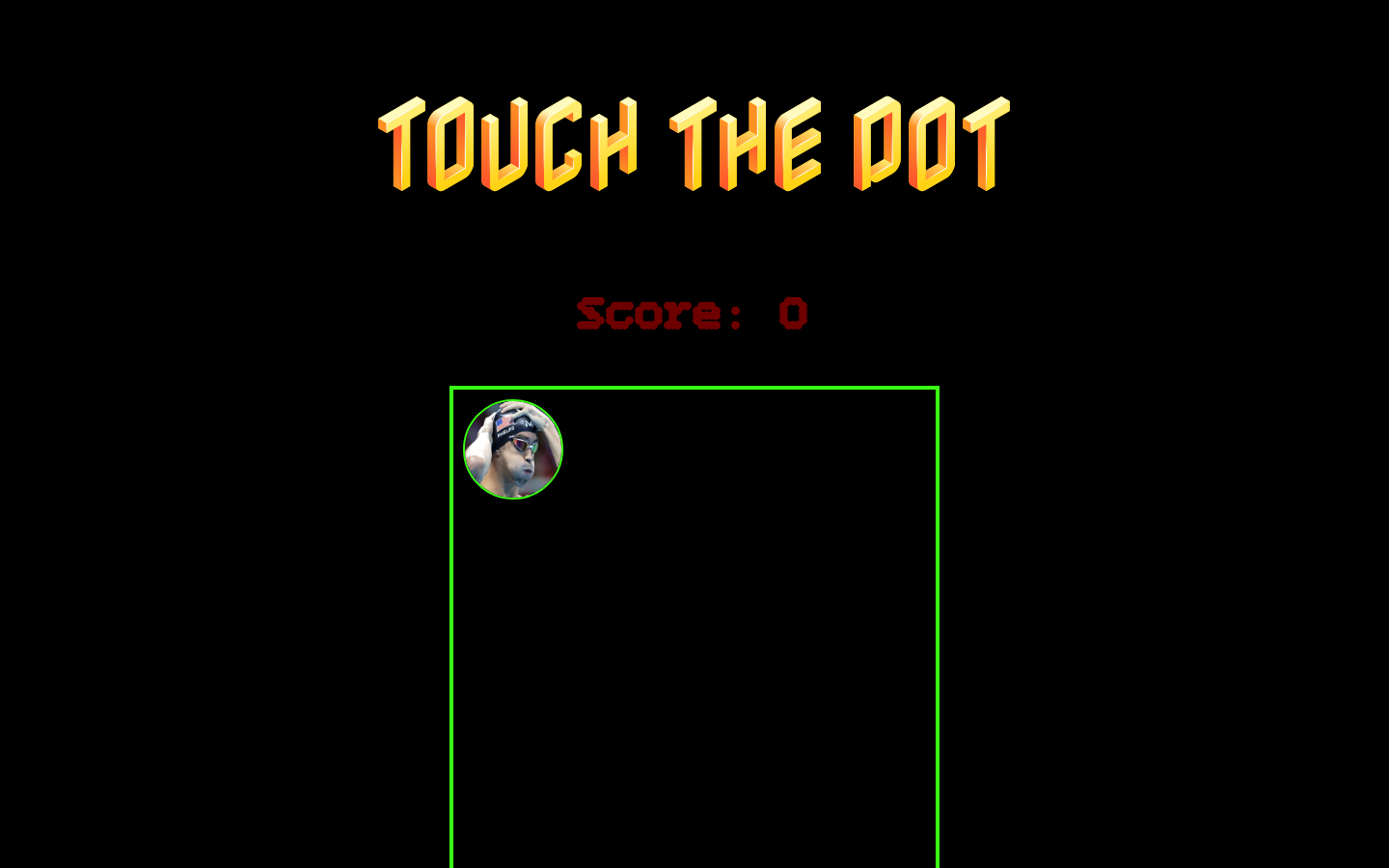
Screenshot of Catch the Dot Complete

Catch the Dot

Built at age 16

A fast browser game where players click a moving target, track score, and practice DOM, CSS, functions, and random positioning.

JavaScriptHTMLCSSDOMGame Dev
Details

Why I built this

Nathan built Catch the Dot as a from-scratch browser game while practicing DOM manipulation, styling, functions, loops, and later Firebase multiplayer ideas.

Bugs and breakthroughs

  • Started from a simple button and canvas-style play area.
  • Used JavaScript to move the dot to random positions after each click.
  • Tracked score with DOM state and visible UI updates.
  • Styled the game with custom fonts, animation, and a high-contrast arcade look.

Proud code

Random dot movement JavaScript
                                function movedot() {
  let Xrandom = Math.floor(Math.random() * 400);
  let Yrandom = Math.floor(Math.random() * 400);
  dotHTML.style.top = Yrandom + "px";
  dotHTML.style.left = Xrandom + "px";
}
                              

This function turns random numbers into visible movement inside the play area.

Try it
Screenshot of Guess That Number In progress

Guess That Number

Built at age 16

A number guessing game built from scratch with input validation, higher/lower hints, and win feedback.

JavaScriptHTMLConditionalsDebuggingGame Dev
Details

Why I built this

Nathan wrote Guess That Number from scratch to practice turning a plan into HTML and JavaScript, debugging stale values, and using conditions to respond to player input.

Bugs and breakthroughs

  • Planned the HTML and JavaScript before building.
  • Generated a secret number and compared it with player input.
  • Debugged stale value issues while connecting the input field to the check button.
  • Used conditional logic to show higher, lower, invalid, and success messages.

Proud code

Higher or lower hints JavaScript
                                if (HTMLinputVal < 1 || HTMLinputVal > 100) {
  HTMLhintTxt.textContent = "oi not cool man";
} else if (HTMLinputVal < secretNum) {
  HTMLhintTxt.textContent = "Higherr";
} else if (HTMLinputVal > secretNum) {
  HTMLhintTxt.textContent = "Lowerr";
}
                              

Nathan used conditionals to turn player guesses into useful game feedback.

Try it
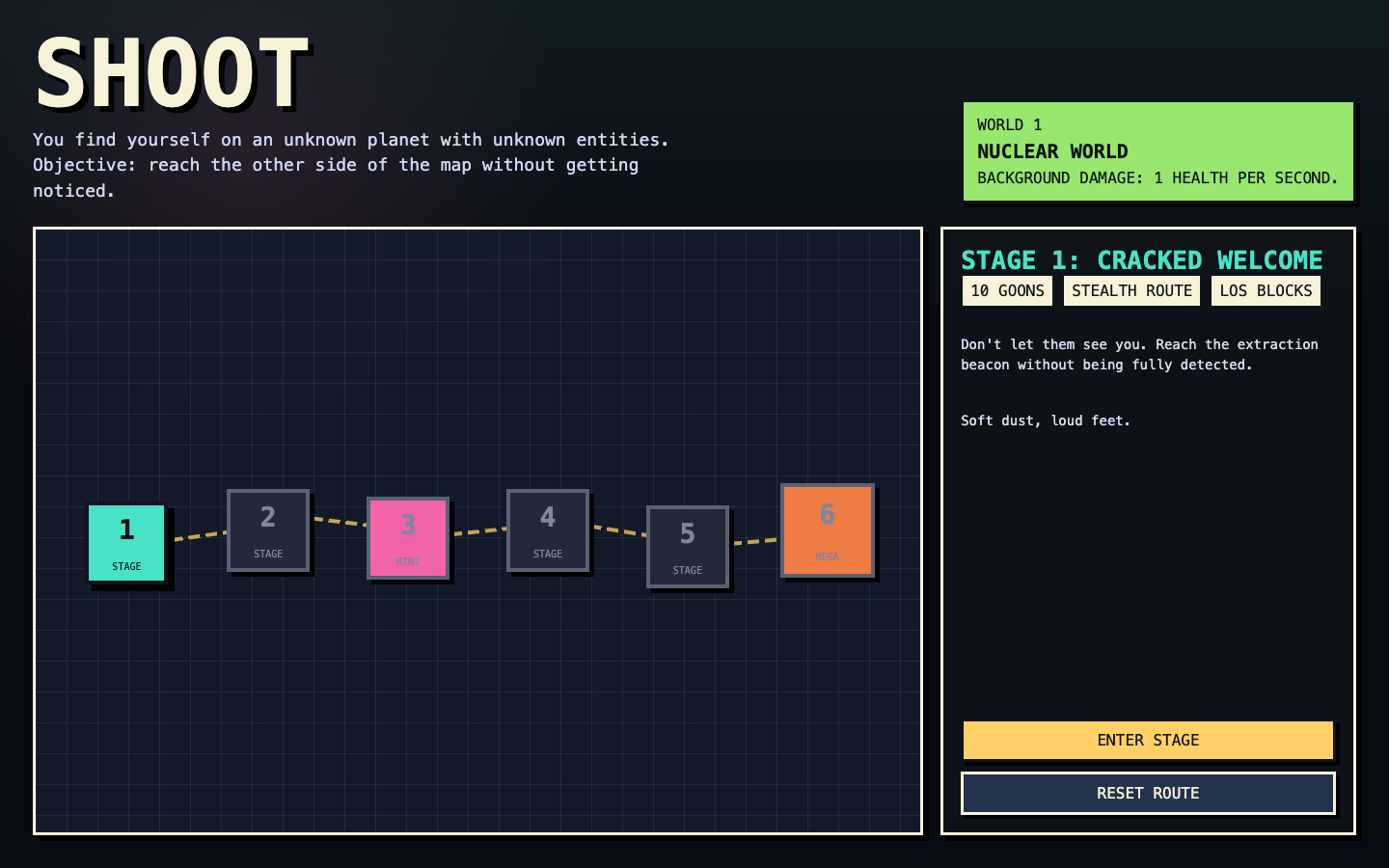
Screenshot of 2D Shooter In progress

2D Shooter

Built at age 16

A planned 2D action game project where Nathan practices design documents, AI prompting, Git checkpoints, bug hunting, and manual code edits.

JavaScriptGame DesignGitAI PromptingDebugging
Details

Why I built this

Nathan is using 2D Shooter to practice the full game development workflow: designing a plan, prompting AI, testing versions, saving checkpoints with Git, and manually editing code.

Bugs and breakthroughs

  • Saw how weak prompts can produce weak game results.
  • Created a game design document before generating a stronger version.
  • Used Git to save favourite versions and checkpoints.
  • Checked the game for bugs and updated the plan before continuing development.
Try it
Languages
JavaScriptHTMLCSS
Soft skills
Planning before codingRoadmappingIndependent practicePersistence with complex codebasesBug huntingVersion control
Concepts practiced
FunctionsObjectsArraysArray mapDOM manipulationFirebase databasesLoopsGit checkpoints
Tutor Feedback

Nathan is progressing from guided feature work toward building games from scratch. He can connect functions, objects, and arrays when implementing game systems.